
Guides
How to Turn Your Handwriting Into a Real Font (.ttf)
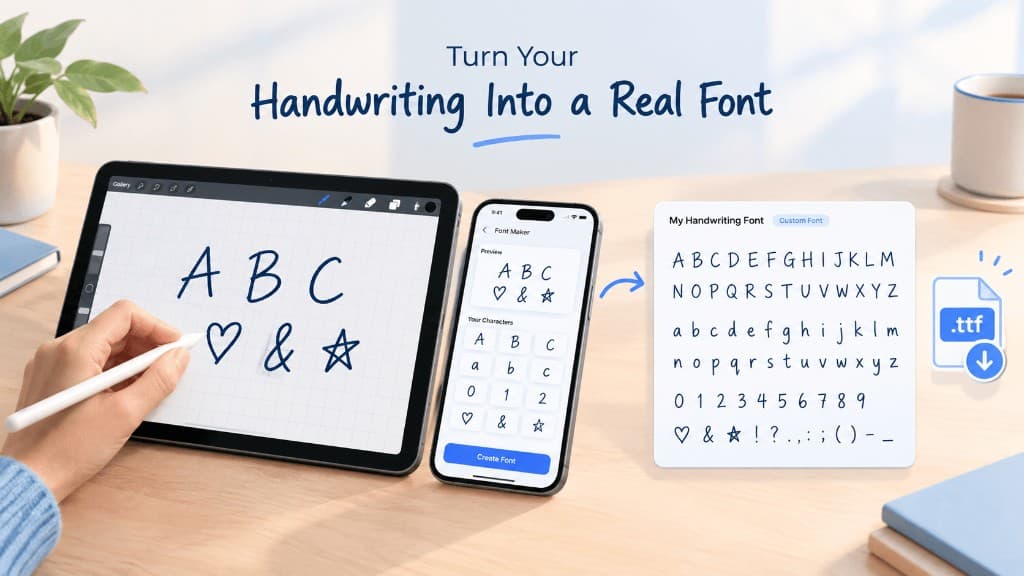
Draw your letters once. Get a real .ttf font file you own forever — use it in Procreate, Canva, Word, and Cricut.
Download on the App Store · Free · In-App Purchase: Lifetime Pro Unlock
Your Handwriting Is Yours. Now It's a Font, Too.
Most "handwriting font" apps trap your text inside their own keyboard. The moment you leave the app, your font is gone.
Handwriting Font Maker: TTF is different. Draw your letters, and the app builds an actual, standard .ttf font file — the same kind of file used by every major design and word-processing tool. Install it anywhere. Use it forever. It's yours.
How It Works
- Draw your letters — Trace each character on a guided canvas using your finger or Apple Pencil. Helper lines and a ghost letter keep your strokes consistent.
- Preview instantly — Type any sentence and watch it render live in your own handwriting.
- Export your font — Save a genuine .ttf file, ready to install on any device.
Use Your Font Everywhere
Once exported, your handwriting font works just like any other font:
- iPad — Import directly into Procreate for lettering and illustration
- Mac & PC — Install system-wide and use in Microsoft Word, Pages, Canva, and Cricut Design Space
- Anywhere fonts are supported — Wedding invitations, logos, signatures, journals, social captions, greeting cards
Not sure how to install a font on your computer? Apple has an official guide for installing fonts on Mac using Font Book, and Windows users can find Microsoft's guide for adding fonts in Windows.
Why It's Different From Other Font Apps
| Typical "Font" Apps | Handwriting Font Maker: TTF |
|---|---|
| Text locked inside their keyboard | Real, exportable .ttf file |
| Font disappears when you leave the app | Font is yours to keep, forever |
| Pre-made styles that aren't really "yours" | Built from your actual handwriting |
| Limited to one app | Works in Procreate, Canva, Word, Cricut, and more |
Key Features
- Real .ttf export — a standard font file, not a gimmick
- Unlimited fonts — create as many as you want
- Full character set — A–Z, a–z, 0–9, and punctuation
- Live preview before exporting
- Works entirely on-device — your handwriting never leaves your phone or iPad
- No data collected
Frequently Asked Questions
Can I really turn my handwriting into a usable font?
Yes. Handwriting Font Maker: TTF generates a genuine .ttf font file from letters you draw — not a filter or keyboard overlay. Once exported, it behaves exactly like any font you'd download from a font marketplace.
What is a .ttf file, and why does that matter?
TTF (TrueType Font) is a universal font format supported by nearly every operating system and design app — Windows, macOS, iPadOS, Word, Canva, Procreate, and Cricut Design Space. Because the app exports a real .ttf, your handwriting font isn't limited to one app — it works anywhere fonts work.
Can I use my handwriting font in Procreate?
Yes. Export your .ttf and import it directly into Procreate on iPad for custom lettering, illustration, and hand-lettered designs.
Can I use my handwriting font on Canva or Cricut?
Yes. Install the exported .ttf on your Mac or PC, and it becomes available in Canva, Cricut Design Space, Microsoft Word, and any other app that supports custom font installation.
Does the app collect my handwriting data?
No. According to the developer's App Store listing, the app does not collect any user data — your handwriting and font files stay on your device.
Is the app free?
Yes, the app is free to download, with an optional one-time Lifetime Pro Unlock for additional features.
How many fonts can I create?
Unlimited. You can create a different handwriting font for each project, occasion, or family member.
Does it work on iPhone and iPad?
Yes. The app is optimized for both iPhone and iPad, with Apple Pencil support on iPad for more precise letter drawing.
Perfect For
- Wedding invitation designers wanting authentic hand-lettered typography
- Small business owners creating a signature-style logo or brand font
- Journal and planner creators (digital or print)
- Cricut crafters making personalized decor, cards, and gifts
- Teachers and parents making custom worksheets or name fonts for kids
- Social media creators wanting a personal, non-generic caption font
Download Handwriting Font Maker: TTF on the App Store
Ready to try the app? Visit the Handwriting Font Maker home page for a full feature overview.
Ready to make your handwriting font?
Draw on iPhone or iPad, preview live, and export a real .ttf file.